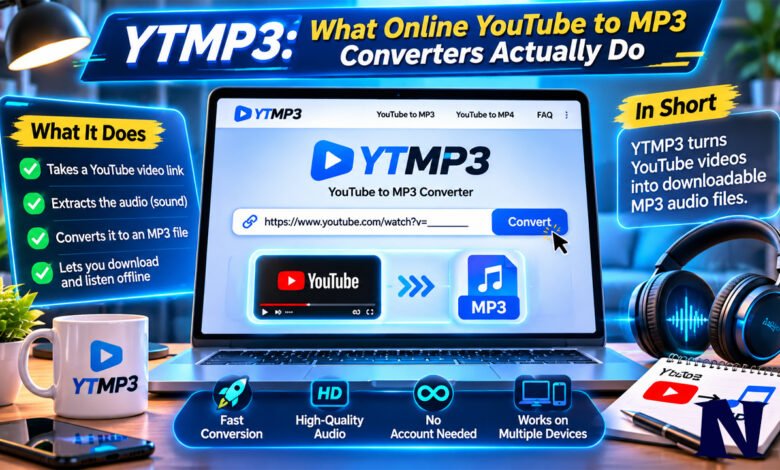
People search for YTMP3 when they want a quick way to turn a YouTube video into an audio file they can play offline. The name points to a broad category of free, browser-based tools rather than one fixed website or company. Users copy a video link, paste it into a converter page, choose MP3, and download the result. No software installation or account is required on most of these sites. The process usually takes only a minute or two for shorter clips.
The appeal is simplicity. Anyone with a phone or computer and an internet connection can try it. At the same time, the name YTMP3 appears on many different domains that change often. What works one month may stop working the next. Understanding how these tools function, what limits they have, and what risks exist helps people decide whether a particular site fits their needs.
What Is YTMP3
YTMP3 is the common name for websites that extract audio from YouTube videos and save it as an MP3 file. The same sites often offer an MP4 option as well. There is no single official company or permanent domain behind the name. Early versions appeared around 2016–2017, and the most widely remembered address was ytmp3.cc. That domain and others have shifted, redirected, or gone offline multiple times because of copyright notices and platform changes.
Today the label is used by many independent or copycat sites. Some still accept a YouTube URL and return an MP3. Others have switched to converting only local files that the user uploads. The core idea remains the same: give people a fast, free way to get audio without opening a desktop program. Most versions run entirely in the browser and need no registration.
How YTMP3 Works
A typical session follows a short sequence. The user finds a public YouTube video, copies the full address from the browser bar, and pastes it into the input box on a converter page. After clicking Convert or Download, the site’s server requests the video stream, separates the audio track, and re-encodes it into MP3 format. When the process finishes, a download button appears.
Speed depends on video length, current server load, and the user’s connection. Short music videos often finish in under a minute. Longer lectures or podcasts take more time. Many sites limit the maximum length—commonly around 90 to 240 minutes for audio and shorter for video—so very long content may fail. Quality is usually fixed rather than user-selectable; common outputs sit between 128 kbps and 192 kbps. The resulting file plays on phones, computers, and most media players without extra software.
Key Features of YTMP3 Sites
Most active versions share a small set of traits. They are free and require no login. They run in ordinary web browsers on Windows, Mac, Android, and iPhone. Users can choose MP3 for audio-only or MP4 when the site still supports video. Some pages include a simple search box so the video does not need to be opened first. A few offer browser extensions or bookmarklets that add a download button directly on YouTube.
Limitations are equally common. Playlist support is rare or absent. Batch conversion of many videos at once is uncommon. Audio quality cannot usually be raised above the level the site chooses. Metadata such as artist name or album art is often missing or incomplete. Sites also tend to show display ads, and some open extra windows or request notification permissions. Because domains change frequently, users must re-check whether a particular address still functions.
Is YTMP3 Safe to Use
Safety depends on the exact site and how carefully the visitor interacts with it. The conversion itself rarely produces a malicious file; the MP3 is simply audio data. The greater risks come from the advertising environment that surrounds many free converters. Pop-ups, misleading buttons, and redirects can lead to unwanted software, browser extensions, or notification spam. Some security scanners have flagged certain domains for spam or aggressive ads even when the core tool shows no malware detections.
Users who try these sites are advised to avoid clicking anything that looks like a download button other than the one generated by the converter, to refuse unexpected software offers, and to use an ad blocker if possible. Checking the address bar before pasting a link helps confirm the page is the one intended. No version of YTMP3 is guaranteed to stay free of these issues, and experiences reported online vary widely. Caution is the practical approach.
Legal Considerations Around YTMP3
Downloading copyrighted material without permission is restricted under copyright law in most countries. YouTube’s own terms also prohibit downloading content except through features the platform itself provides. YTMP3-style tools do not host the original videos; they simply make it easier for a user to obtain a copy. Courts in some places have ordered internet providers to block known domains associated with stream-ripping services, including certain YTMP3 addresses.
Personal, non-commercial use of a short clip may sometimes fall into fair-use or private-copy exceptions depending on the country, but this is not automatic. Content that the user created, owns, or has explicit permission to download carries lower risk. Public-domain or Creative Commons material is generally safer. For ordinary commercial music or videos, the safer legal path is a licensed streaming service or an official download option when one exists. The tools themselves continue to operate in a gray area that changes with new court decisions and platform enforcement.
Common Problems with YTMP3
Domains stop working without notice. A site that functioned yesterday may redirect or show an error today. Conversion quality can drop or fail entirely when YouTube changes how it serves video streams. Ads may interrupt the process or open new tabs. Some pages claim high-quality output yet deliver lower bitrates than expected. Long videos or playlists are frequently unsupported. Mobile users sometimes find the download button hard to locate or the page layout broken on small screens.
When a familiar address fails, searching for the name again often surfaces new mirrors. Not every result is reliable. Users who need consistent access usually look for more stable alternatives after a few interruptions. Technical failures are separate from the legal and advertising issues already noted.
Alternatives to YTMP3
Several other approaches exist for people who want offline audio. Official options include YouTube Premium, which allows downloads inside the YouTube app for offline playback. Desktop programs such as 4K Video Downloader or MediaHuman YouTube to MP3 Converter offer higher quality control, playlist support, and fewer ads, though some are paid. Open-source command-line tools like yt-dlp give advanced users precise options for format and bitrate. Browser-based alternatives such as Y2Mate or CnvMP3 appear in many comparisons and may show fewer interruptions on a given day.
Each alternative has its own limits and legal status. Desktop software can avoid pop-ups entirely. Subscription services stay within platform rules. No method is risk-free when the content is copyrighted, but some reduce the advertising and domain-stability problems common with pure YTMP3 pages.
Interesting Facts About YTMP3
The name began as a descriptive label rather than a registered brand, which is why so many unrelated sites adopted it. Domain changes have been continuous since the mid-2010s as operators respond to takedown requests. In 2026 a Canadian court ordered internet providers to block certain YTMP3-related domains along with other stream-ripping services. Some versions that once accepted YouTube links later removed that feature and became simple local-file converters that process audio inside the browser without uploading data.
Audio output is almost always re-encoded rather than a perfect copy of the original stream. Peak quality therefore cannot exceed what YouTube already provides. A small number of sites still list quality choices up to 320 kbps, yet independent tests often measure lower actual bitrates. The tools remain popular for one-off conversions precisely because they require nothing more than a browser and a link.
Conclusion
YTMP3 describes a family of free online converters that turn YouTube videos into downloadable MP3 files with minimal steps. The process is straightforward for individual public videos, yet the lack of a single official site, frequent domain shifts, advertising practices, and copyright restrictions create practical and legal friction. Users who only need an occasional short clip may still find a working page useful if they stay alert to ads and confirm they have the right to save the content. Those who convert regularly or want higher quality and fewer interruptions usually move to desktop software, open-source tools, or licensed services. Checking current domain status and respecting content rights remain the two most important habits when dealing with any of these converters.
FAQs
What is the official YTMP3 website?
There is no single permanent official website. The name is used by many different domains that change over time. Users should verify the current address carefully before pasting any video link.
Does YTMP3 support playlists?
Most versions handle only one video at a time. Playlist conversion is uncommon and often fails even when a site claims to offer it.
What audio quality does YTMP3 produce?
Typical output is between 128 kbps and 192 kbps. Higher claimed rates are not always delivered, and the result cannot exceed the quality of the original YouTube stream.
Is it legal to convert YouTube videos with YTMP3?
Legality depends on the specific content and local copyright law. Downloading material without permission generally violates copyright rules and YouTube’s terms. Content the user owns or has permission to use carries lower risk.
Why do YTMP3 sites keep changing addresses?
Operators move domains after copyright complaints, court orders, or technical blocks. The practice has been continuous for years and is one reason the name now covers many unrelated pages.
See more amazing Information visit Novira Magazine