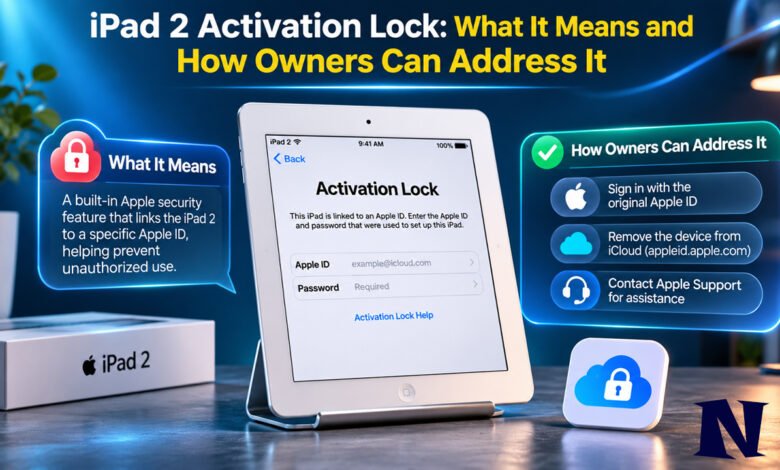
Many people who still own or come across an iPad 2 encounter a screen that asks for an Apple ID and password before the device can be used. This is the Activation Lock, a security measure that has protected Apple devices for years. If you see it on an iPad 2, the device is linked to someone else’s Apple Account and cannot be set up until that link is properly removed. Restoring the tablet through a computer does not clear the lock because the status is stored on Apple’s servers, not just on the device itself.
The most reliable path forward depends on whether you have access to the original Apple Account or can prove you are the original owner. For second-hand purchases, cooperation from the previous owner is usually required. Understanding these limits helps avoid wasted effort and potential scams.
What Is iPad 2 Activation Lock
Activation Lock is part of Apple’s Find My feature. It turns on automatically when Find My is enabled on a device. Once active, the iPad 2 remains tied to the Apple Account that was used during setup. Anyone who tries to activate or set up the tablet after it has been erased must enter that account’s credentials.
Apple introduced the feature with iOS 7 in 2013. The iPad 2, released in 2011, can run iOS versions up to 9.3.5 on Wi-Fi models or 9.3.6 on cellular models. Because these versions support Find My, an iPad 2 can carry Activation Lock if the previous user turned the feature on. The lock is designed to make a lost or stolen device harder to resell or reuse without permission.
On the screen, users typically see a message stating that the iPad is linked to an Apple Account and requesting the email address and password used to set it up. Partial information about the account may appear to help the legitimate owner recognize it. This protection stays in place even after a factory reset or recovery-mode restore.
How Activation Lock Works on the iPad 2
When Find My is switched on, Apple records the association between the device and the Apple Account on its activation servers. The next time the iPad 2 is powered on and connects to a network during setup, it checks with those servers. If the link still exists, the Activation Lock screen appears and blocks further progress.
Erasing the device locally or through a computer does not break this server-side link. The software is wiped, but the account association remains. Only actions taken with the original Apple Account credentials, or by Apple after verifying ownership, can remove the restriction. On older hardware like the iPad 2, the process follows the same rules as on newer models, though the device itself is limited to older software.
Some users notice the lock after a restore that was meant to fix other problems. In those cases the previous Find My setting is what triggers the screen. Keeping Find My enabled is the normal and recommended state for most owners because it improves the chance of recovering a lost tablet.
Why Your iPad 2 Shows Activation Lock
The most common reason is that the previous owner enabled Find My and later erased the device without first signing out of the Apple Account. This often happens when people sell or give away an older tablet and forget the final step. The iPad 2 then appears locked to anyone who tries to set it up as a new device.
Another situation occurs when the original owner forgets the Apple Account password or no longer has access to the email address tied to it. In that case the lock remains even though the person still possesses the tablet. Family members or others who inherited the device may face the same obstacle if the account details were never shared.
Buying a used iPad 2 without confirming that Find My has been turned off is a frequent source of the problem. Sellers sometimes restore the device thinking that is enough, yet the Activation Lock stays active until the account association is removed. Less often, the lock appears because the device was reported lost or stolen and the owner has not yet removed it from their account.
Official Ways to Remove iPad 2 Activation Lock
If you know the Apple Account email and password that were used to set up the iPad 2, the process is straightforward. Connect the device to Wi-Fi, enter the credentials on the Activation Lock screen, and continue with setup. Once accepted, the lock is cleared and the tablet can be used with a new or existing account.
The previous owner can also remove the device remotely. They sign in at the Find My website, select the iPad 2 from the list of devices, erase it if needed, and then remove it from the account. After that step the Activation Lock is lifted, and the next person who powers on the tablet can set it up normally. If the device is offline, the removal may take effect once it reconnects or after a waiting period.
When the original owner has lost access to the Apple Account but still has proof of purchase, Apple Support can be contacted. Documentation that includes the serial number is typically required. Apple reviews the request and, if ownership is confirmed, may remove the lock. Any data remaining on the device is erased during this process. This option is generally limited to the person who originally bought the tablet, not to later buyers.
What to Do If You Bought a Used iPad 2 with Activation Lock
Contact the seller as soon as possible and ask them to remove the iPad 2 from their Apple Account using the steps described above. Provide the serial number so they can identify the correct device. Many sellers are willing to help once they understand the requirement. If the seller is unreachable or refuses, return the tablet and request a refund when possible.
Apple does not unlock Activation Lock for someone who purchased a used device without being the original owner, even when a receipt from the seller is available. The security feature is intentionally strict so that stolen devices remain difficult to resell. Independent repair shops and third-party software that claim to bypass the lock are not reliable solutions and often violate Apple’s terms. Relying on them can lead to further problems or permanent loss of the device.
Before buying any used iPad in the future, watch the seller set it up or confirm that it reaches the plain “Hello” setup screen without asking for an existing Apple Account. That single check prevents most Activation Lock surprises.
Limitations of the iPad 2 and Activation Lock
Even after the lock is removed, an iPad 2 remains a very old device. It cannot run software newer than iOS 9.3.5 or 9.3.6. Most current apps are no longer available for it, and many online services have dropped support for such early versions. Performance is limited by the original hardware, and battery life is often reduced after years of use.
Recent reports from users indicate that Apple’s activation servers may have reduced support for certain obsolete 32-bit models, including the iPad 2. In some cases a device that has been restored cannot complete activation even when credentials are correct. This situation is not publicly confirmed for every unit, but it adds uncertainty for anyone trying to revive a tablet this old. The practical value of unlocking an iPad 2 is therefore lower than it once was.
Interesting Facts About iPad 2 Activation Lock
The feature has been effective at reducing the resale value of stolen Apple devices since its introduction. Many law-enforcement and insurance reports noted fewer opportunistic thefts once Activation Lock became widespread. On the iPad 2 specifically, the lock behaves the same way as on later models that can run iOS 7 or newer, even though the tablet itself predates the feature by two years.
Apple once offered an online tool that let anyone check Activation Lock status with a serial number. That tool was removed years ago, so buyers must now verify the status in person by attempting setup. Partial Apple Account information shown on the lock screen is intended only to help the legitimate owner, not to identify the account for others.
Conclusion
iPad 2 Activation Lock is a deliberate security feature that keeps the tablet tied to its original Apple Account until that link is properly removed. The official methods—entering the correct credentials, having the previous owner remove the device, or contacting Apple with proof of original ownership—are the only reliable approaches. For anyone who acquired a locked used unit without the seller’s help, options are limited and the device may remain unusable.
Given the age of the iPad 2 and the shrinking number of compatible apps, many owners eventually decide the effort to resolve the lock is not worthwhile. Those who still want to try should start with the original account details or documented ownership rather than unverified workarounds. Clear communication with previous owners and careful checks before purchase remain the best ways to avoid the problem entirely.
Frequently Asked Questions
Can I remove Activation Lock on an iPad 2 without the original Apple Account password?
No. The lock requires the credentials of the account that enabled Find My, or action by Apple after verifying original ownership with proof of purchase. There is no publicly confirmed method that works without one of these.
Does restoring the iPad 2 with a computer clear Activation Lock?
No. A restore or recovery-mode process erases the software on the device but leaves the account association on Apple’s servers. The lock screen appears again during the next setup attempt.
Will Apple unlock an iPad 2 that I bought used if I have a receipt from the seller?
Not publicly confirmed in general practice. Apple’s process is intended for the original purchaser who can provide documentation linking the serial number to their purchase. Later buyers are normally directed back to the previous owner.
Is the iPad 2 still useful after Activation Lock is removed?
Usefulness is limited. The highest supported software version is iOS 9.3.5 or 9.3.6, and many apps and services no longer support it. Hardware performance and battery condition are also often reduced after more than a decade.
What should I do if the previous owner will not remove the lock?
Return the device to the seller if possible and seek a refund. Without their cooperation or original-owner proof of purchase, the Activation Lock cannot be cleared through official channels.
See more amazing Information visit Novira Magazine