SouthwestWiFi.com: How to Connect, Get Free WiFi, and Enjoy Inflight Entertainment

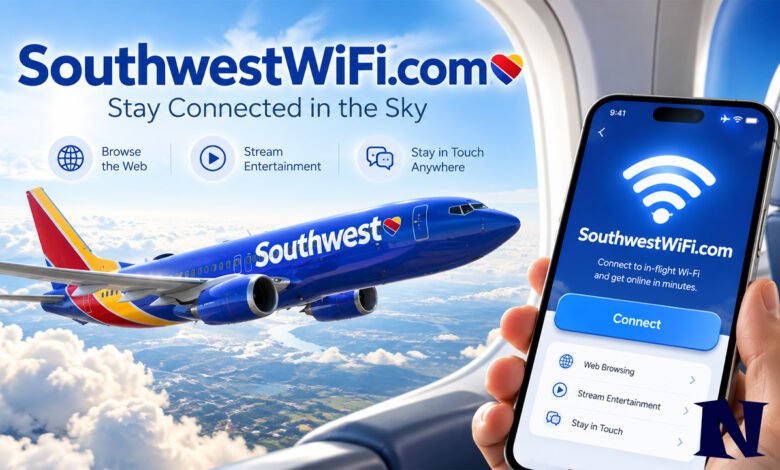
SouthwestWiFi.com is the inflight internet and entertainment portal used by Southwest Airlines. It allows passengers to connect their phones, tablets, or laptops to the airline’s onboard WiFi network. Depending on the aircraft, travelers can browse the internet, watch movies, enjoy TV shows, and access other entertainment during their flight.
To use SouthwestWiFi.com, turn on airplane mode, enable WiFi, select the available Southwest WiFi network, and open SouthwestWiFi.com in your browser. Rapid Rewards members can access free WiFi on eligible aircraft, thanks to T-Mobile. Other passengers may have the option to purchase internet access for $8 per device per flight.
What Is SouthwestWiFi.com?
SouthwestWiFi.com is an onboard web portal designed to help Southwest Airlines passengers access wireless internet and entertainment services. Instead of requiring a separate entertainment screen, the airline allows travelers to use compatible personal devices. After connecting to the aircraft’s WiFi network, passengers can open the portal through their preferred supported browser. The services available depend on the aircraft and its internet equipment. Some flights offer entertainment through the portal, while aircraft equipped with Starlink provide internet access for streaming from personal services.
The portal is particularly useful during longer flights when passengers want entertainment or need to communicate with others. Travelers can use the available connection to check messages, read online content, or complete simple tasks. Southwest also provides free inflight entertainment on eligible aircraft. However, access to entertainment does not always mean unrestricted internet access. Understanding this difference helps passengers choose the service that matches their needs before starting their journey.
History and Background of SouthwestWiFi.com
Southwest Airlines introduced onboard WiFi as part of its efforts to improve the passenger experience. According to its 2010 annual report, the airline began rolling out satellite-enabled WiFi internet access during that year. This technology allowed passengers to access online services using their own wireless devices. The airline later expanded its inflight entertainment options, including movies and television. SouthwestWiFi.com became a convenient entry point for these onboard services, although the exact date the domain was first introduced is not publicly confirmed.
As passenger needs changed, Southwest continued improving its onboard connectivity. The company added entertainment options and upgraded WiFi equipment to support modern devices. It also introduced free internet access for Rapid Rewards members through its partnership with T-Mobile. More recently, Southwest began introducing Starlink technology to improve inflight internet performance. These developments reflect the airline’s move toward easier access, faster connectivity, and a wider selection of online activities during flights.
How to Connect to SouthwestWiFi.com
Connecting to SouthwestWiFi.com is relatively simple and does not require special technical knowledge. Passengers need a compatible device and a Southwest aircraft offering WiFi service. The process begins after boarding, when the device can connect to the aircraft’s wireless network. Southwest recommends keeping airplane mode enabled while using WiFi. Once connected, travelers can open the inflight portal and follow the instructions displayed on their screen.
Follow these steps to connect:
- Turn on airplane mode on your phone, tablet, or laptop.
- Open your device’s WiFi settings.
- Select the available Southwest WiFi network.
- Open a supported web browser.
- Enter www.southwestwifi.com in the address bar.
- Select the available internet or entertainment option.
- Sign in to your Rapid Rewards account if required for free WiFi.
These steps follow Southwest Airlines’ official connection instructions.
Once the connection is active, passengers can use the services available on their particular flight. If the portal does not appear automatically, typing the website address directly into a browser may help. The device must remain connected to the Southwest WiFi network for the onboard portal to work. Availability can vary because not every aircraft offers the same entertainment and internet features.
Is SouthwestWiFi.com Free?
SouthwestWiFi.com provides access to onboard services, but the cost depends on the passenger’s membership and the aircraft. Southwest Airlines currently offers free inflight WiFi to Rapid Rewards members on designated WiFi-enabled planes, thanks to T-Mobile. Joining Rapid Rewards is free, making it possible for eligible travelers to use the internet without paying a separate WiFi charge. Passengers who are not members may purchase internet access for $8 per device per flight on selected aircraft.
Free entertainment and free internet are not always the same service. Certain aircraft offer movies and television programs through the entertainment portal without requiring a separate internet purchase. On other flights, passengers can use their complimentary WiFi connection to access entertainment from their own streaming subscriptions. The exact options depend on aircraft equipment, licensing restrictions, and service availability. Travelers should check the portal during their flight for the options currently offered.
How to Get Free WiFi Through Rapid Rewards
Rapid Rewards is Southwest Airlines’ loyalty program, and membership provides access to free inflight WiFi on eligible aircraft. Passengers do not need to be T-Mobile customers to qualify for the free service. They simply need an eligible Rapid Rewards membership and must complete the required verification through the onboard connection process. Joining before traveling can make the experience easier, especially when passengers want to connect soon after boarding.
After opening SouthwestWiFi.com, members can sign in using their Rapid Rewards username or membership number. They may also use their flight confirmation number when their account is linked to the reservation. This offers another way to access the service if they cannot remember their membership details. Southwest explains these options in its official WiFi support instructions, which passengers can review before traveling.
Entertainment Available on SouthwestWiFi.com
Southwest Airlines offers several entertainment options for passengers using eligible WiFi-enabled aircraft. Depending on the flight, travelers may find movies, television series, or other onboard content. The entertainment selection is designed for different interests, whether someone wants to watch a film or enjoy a shorter program. Passengers normally use their own devices rather than an airline-provided screen. This approach makes entertainment accessible through familiar phones, tablets, and laptops.
The airline’s onboard entertainment experience varies across aircraft. On some flights, passengers can watch content directly through the entertainment portal without downloading a separate application. However, licensing restrictions and technical differences may limit certain programs. Southwest also explains that aircraft equipped with Starlink do not provide entertainment through the traditional onboard portal. Instead, eligible passengers can use free WiFi to access movies, music, podcasts, and shows through their own services.
Devices Compatible With SouthwestWiFi.com
SouthwestWiFi.com supports several popular types of electronic devices, including iPhones, iPads, Android devices, Mac computers, and Windows laptops. Passengers should use a supported browser and an updated operating system for the best experience. Southwest lists the current and two previous operating-system versions as supported for the applicable devices. Older software may not provide the same compatibility or reliability when accessing the onboard connection.
| Device | Supported Browsers |
|---|---|
| iPhone | Safari, Google Chrome |
| iPad | Safari, Google Chrome |
| Android | Google Chrome |
| Mac | Safari, Google Chrome, Firefox |
| Windows PC | Google Chrome, Microsoft Edge, Firefox |
These compatibility details come from Southwest Airlines’ official support guidance.
Why SouthwestWiFi.com May Not Be Working
Sometimes passengers connect to the Southwest WiFi network but cannot open the portal or browse the internet. This may happen because the device has not connected correctly, the browser is experiencing a problem, or inflight connectivity is temporarily unavailable. Certain aircraft or flight routes may also have service limitations. Since aircraft internet connections depend on onboard equipment and external network coverage, connectivity is not guaranteed throughout every journey.
If SouthwestWiFi.com does not load, passengers can try these troubleshooting steps:
- Confirm that airplane mode is enabled and WiFi is turned on.
- Check that the device is connected to the available Southwest WiFi network.
- Enter SouthwestWiFi.com directly into the browser address bar.
- Refresh the webpage or try another supported browser.
- Temporarily disconnect a VPN if it prevents access.
- Forget and reconnect to the Southwest WiFi network if necessary.
- Ask a flight attendant about onboard service availability.
Passengers should avoid repeatedly entering payment details if a connection error appears. It is better to confirm that the official portal is loading correctly before continuing. Some connection problems may be temporary, while others may relate to the aircraft’s available technology.
SouthwestWiFi.com and Starlink Internet
Southwest Airlines is upgrading its inflight internet capabilities with Starlink, a satellite-based connectivity service. Starlink is intended to support activities such as web browsing, online communication, streaming, and access to cloud-based applications. Southwest states that passengers on designated Starlink-equipped aircraft can connect from takeoff to landing. The airline expects to expand this technology across its fleet, with a fleetwide milestone planned for fall 2027.
Passengers can check whether their flight is expected to offer Starlink through the Southwest Airlines app. The trip details may display a WiFi Powered by Starlink label, although last-minute aircraft changes can affect availability. Once onboard, passengers still follow the familiar process of enabling airplane mode, choosing the Southwest WiFi network, and opening SouthwestWiFi.com. The portal displays information about the connection before the passenger proceeds.
Benefits of Using SouthwestWiFi.com
One of the main benefits of SouthwestWiFi.com is its convenient access to inflight connectivity. Travelers can connect through a compatible personal device rather than relying on shared equipment. Rapid Rewards members also benefit from complimentary internet on eligible flights, making it easier to stay connected without an additional access charge. This is helpful for people traveling frequently or anyone who wants to stay in contact with friends, family, or colleagues.
The portal can also improve the travel experience by offering entertainment during flights. Instead of spending the entire journey without activities, passengers may watch available movies, access television programs, or browse online content. Business travelers may use the connection for email and routine tasks, although performance and application restrictions vary. The main advantage is flexibility: passengers can choose the entertainment or connectivity options that suit their journey.
Is SouthwestWiFi.com Safe to Use?
SouthwestWiFi.com is a website address included in Southwest Airlines’ official inflight connection instructions. Passengers can use it to access the airline’s onboard services when connected to the appropriate aircraft WiFi network. However, like other shared wireless networks, inflight WiFi should be used carefully. Travelers should confirm that they have selected the correct network and avoid unfamiliar websites claiming to provide special access to airline services.
For additional protection, passengers should keep their devices updated and use websites that provide secure HTTPS connections. They should also avoid entering personal information into unexpected pop-ups or unknown pages. A trusted VPN may offer additional privacy when compatible with the onboard service, although it can sometimes interfere with captive portal access. SouthwestWiFi.com is the designated onboard address, but passengers remain responsible for following normal online security practices.
Tips for a Better SouthwestWiFi.com Experience
Preparing before boarding can make inflight connectivity easier. Passengers should update their browsers, confirm their Rapid Rewards membership details, and charge their devices in advance. It is also useful to download important files or entertainment for offline access in case the aircraft experiences limited connectivity. Southwest does not provide seatback entertainment screens or headphones for purchase onboard, so travelers should bring compatible headphones when planning to listen to audio.
Internet performance can change during a flight, and some activities may consume more bandwidth than others. Southwest notes that certain high-bandwidth applications, websites, and video conferencing services may be restricted. Travelers who need to complete important work should therefore avoid depending entirely on inflight internet access. Downloading documents in advance and saving changes locally can help prevent interruptions if the connection becomes unavailable.
Interesting Facts About SouthwestWiFi.com
SouthwestWiFi.com has several features that make it different from an ordinary public website. Its primary purpose is to provide access to services while passengers are onboard Southwest Airlines aircraft. Travelers can reach the portal through the aircraft’s WiFi network rather than using a traditional home internet connection. Another useful detail is that free Rapid Rewards WiFi does not require passengers to be T-Mobile customers, even though T-Mobile supports the complimentary service.
Southwest’s internet service has also changed considerably since its earlier satellite WiFi rollout. The airline has expanded its entertainment offering, added complimentary internet benefits, and introduced newer connectivity technology. A notable difference is that Starlink-equipped aircraft allow eligible travelers to stream from their own services instead of relying on Southwest’s traditional entertainment portal. These changes help explain why the exact onboard experience may differ from one Southwest flight to another.
Conclusion
SouthwestWiFi.com is an important part of Southwest Airlines’ inflight internet experience. It gives passengers a straightforward way to connect their personal devices to the aircraft’s WiFi network and access the services available during their flight. Rapid Rewards members can enjoy free internet on eligible aircraft, while selected flights also offer entertainment options. With continued upgrades to onboard connectivity, Southwest is expanding how passengers can stay connected while traveling. For the best experience, prepare your device before boarding and follow the official connection instructions.
Frequently Asked Questions
1. What is SouthwestWiFi.com used for?
SouthwestWiFi.com is the onboard portal for Southwest Airlines’ inflight internet and entertainment services. Passengers can use it to access WiFi, complete account verification, and view available onboard options. The features depend on the aircraft.
2. How do I connect to SouthwestWiFi.com?
Enable airplane mode, turn on WiFi, and choose the available Southwest WiFi network. Then open a supported browser and enter SouthwestWiFi.com. Follow the instructions to access complimentary internet or other available services.
3. Is SouthwestWiFi.com free for everyone?
Free WiFi is available to Rapid Rewards members on eligible Southwest aircraft. Membership is free. Nonmembers may purchase WiFi for $8 per device per flight where offered. Prices and availability are subject to change.
4. Can I watch Netflix or YouTube using SouthwestWiFi.com?
Access to streaming services depends on the aircraft, connection performance, and any applicable restrictions. Southwest says that its Starlink-equipped aircraft support streaming through passengers’ own services. Availability cannot be guaranteed on every flight.
5. Why can’t I open SouthwestWiFi.com?
The portal may fail to load if the device is not connected to the Southwest WiFi network, the browser has a connectivity problem, or onboard internet service is temporarily unavailable. Reconnecting to WiFi and reopening the website may resolve the issue.
Is this conversation helpful so far?
See more amazing Information visit Novira Magazine